Tuesday, February 28, 2012
Friday, February 24, 2012
Wednesday, February 22, 2012
Helmet
My helmet is almost done. This is a photograph of only half of it. I added those "grills" and the screen protector.
Thursday, February 16, 2012
SKArunner
Wednesday, February 8, 2012
Monday, February 6, 2012
Face & Cup -FINISHED
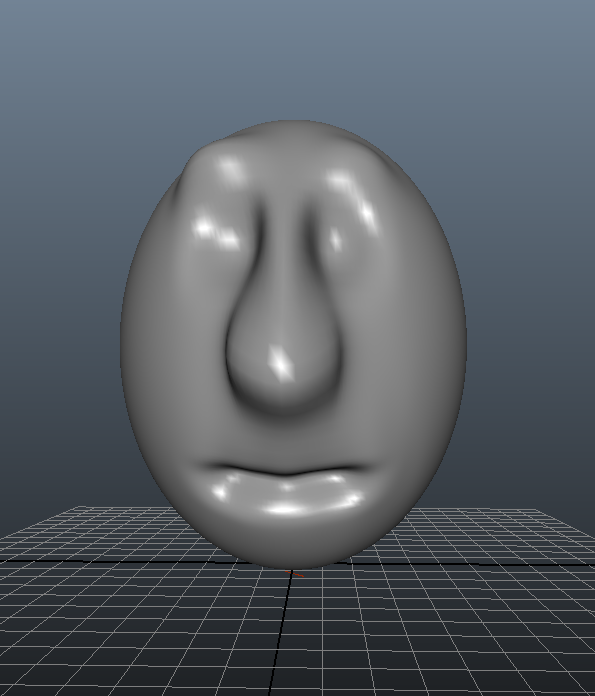
This is both my cup and my face. I believe I'm done with them. The face's left eyebrow is higher by a little but it did that on purpose.
Tuesday, January 31, 2012
Temple -FINISHED
This is my finished temple. I plan on adding a few more things to the scene. So far I have no idea what to add.
Wednesday, January 25, 2012
Monday, January 23, 2012
Still Researching...
This blog is actually pretty great! The design is simple yet like-able and it is also a blog on how to do cgi tutorials. Very convenient.
A Desperate Attempt...
Yeah... my blog sucks... 'bout time I added some eye-popping stuff in it. Started researching other blogs to see what they have that makes them so good and what makes mine so bad. Looked at Lifehacker, and noticed a significant reason why their website is awesome and why mine isn't.
My First Post in 3D Graphics and Animation
New Class. New Blog. Slicker style.
This is my first post in a new, redefined, blog.
Tuesday, January 17, 2012
Apple -FINISHED
This is my apple and I believe it looks as much as an apple as I can possibly do.
NO! It is not a tomato!
Wednesday, January 11, 2012
Wednesday, January 4, 2012
Wednesday, December 14, 2011
Sphere -FINISHED
This is my ball with a shadow. The picture on the top left is the original and the main one is mine.
Tuesday, December 13, 2011
Made in my freetime
Made this in my free time. The only help I used was the flare and the bluish line in the middle. You can ask Josh I did it by myself.
Thursday, December 8, 2011
Tuesday, December 6, 2011
For this abstract work I first made a layer and rendered clouds then I differenced the clouds. I did this 3 more times. Then I added Accented Edges and then Polar Coordnates then I added Wind three times and then used Polar Coordnates again. I then made a new layer and use the Gradient Tool to add the rainbow and set the layer mode to Overlay.
Friday, December 2, 2011
This is my third abstract work on Photoshop. First I rendered some clouds and then set motion blur at a 90 degree angle with the length set at "999". After that I created a new layer and used the gradient tool to make a rainbow pattern on the layer. I then set the layer mode to overlay. I rendered some spotlights in the end.
Wednesday, November 30, 2011
First Abstract Art
First I found a picture of a typical village- green and village-y. Then I added color balance and set it to 94, 9, -95 to make it look orange-y. Used the elliptical Marquee Tool to select large areas and then selected the inverse and used a very soft brush to color the area selected.
Subscribe to:
Posts (Atom)